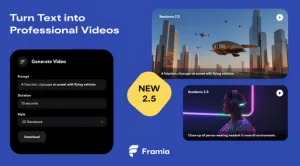
Artificial intelligence has transformed video creation, making it possible to generate realistic videos from text prompts and images within minutes. Seedance 2.5 video generator, available on Framia, is an advanced AI video generation model that supports both text-to-video and image-to-video workflows. It is designed to produce smooth animations, longer video sequences, and consistent visual quality while giving creators greater control over scenes, camera movement, and editing.
Best AI Video Generator Alternatives to Seedance 2.5
Framia integrates Seedance 2.5 into its AI video creation platform, allowing users to create videos without traditional filming or complex editing software. The platform combines prompt writing, image uploads, AI rendering, and editing tools in a single workspace. Whether users are creating promotional videos, animated artwork, educational content, or cinematic scenes, Seedance 2.5 provides a streamlined workflow for generating professional-looking results.
AI-Powered Text-to-Video Generation for Creative Projects
The model can generate videos directly from written prompts. Users simply describe a scene, including the subject, environment, lighting, camera movement, and action. The AI interprets these instructions and creates a video that follows the prompt as closely as possible. Detailed prompts generally produce more accurate and visually consistent results, making it easier to create scenes that match a specific creative vision.
Image-to-Video Generation
Seedance 2.5 also supports image-to-video generation, allowing users to upload a single image and transform it into a moving video. The AI analyzes the uploaded image, identifies objects, facial features, lighting, and depth, then generates realistic motion while preserving the original composition. This feature works with photographs, digital artwork, concept art, product images, and AI-generated illustrations.
Longer Video Creation
Unlike many earlier AI video models that were limited to only a few seconds of animation, Seedance 2.5 supports longer video generation. The model creates continuous scenes with smoother transitions and better subject consistency throughout the video. Longer sequences make it suitable for storytelling, product presentations, advertisements, and cinematic projects that require more than a brief animation.
Maintain Facial Features, Clothing, and Style Across Scenes
Maintaining consistent characters across multiple scenes is one of the model’s strengths. The AI attempts to preserve facial features, hairstyles, clothing, and overall appearance throughout the generated video. This consistency is especially valuable when creating narrative content, marketing campaigns, or branded videos where the same character appears repeatedly.
Camera Movement
Seedance 2.5 can generate cinematic camera motion based on prompt instructions. Instead of producing a completely static scene, the AI simulates realistic camera techniques that add depth and movement to the final video. Common camera effects include:
- Slow zoom
- Camera pan
- Tracking shot
- Close-up view
- Wide-angle scene
These movements help create videos that resemble professionally filmed footage rather than simple animated images.
AI Scene Composition
Seedance 2.5 uses advanced scene composition techniques to organize subjects, backgrounds, lighting, and camera perspective before generating a video. Instead of treating every object independently, the AI evaluates how different elements relate to one another within the frame. This helps maintain a balanced composition as the scene evolves, reducing sudden changes in object placement or perspective. Whether the input contains a single portrait or a detailed landscape with multiple subjects, the model aims to preserve the overall visual structure throughout the generated sequence.

Build, Edit, and Refine Content with a Flexible Creative Workflow
Framia provides a flexible workflow for creators who want to experiment with different ideas without rebuilding an entire project. Users can modify prompts, replace reference images, adjust motion intensity, or change camera directions before generating another version of the video. This iterative process makes it easier to compare multiple creative concepts and refine the final output. By combining AI-powered generation with editable project settings, Seedance 2.5 supports a more efficient production process for a wide variety of visual content.
Reference Image Support
Framia allows users to upload multiple reference images to guide the AI during video generation. These references help maintain visual consistency by giving the model additional information about characters, products, environments, or artistic styles. Using reference images can improve the overall coherence of complex projects while reducing unexpected changes between scenes.
Scene Editing
After generating a video, users can continue refining the result without restarting the entire project. Framia provides editing options that allow adjustments to selected areas of the video while leaving the remaining portions unchanged. This workflow saves time and provides greater flexibility during the creative process.
Achieve Smooth, Realistic Motion with Advanced AI Video Generation
Seedance 2.5 focuses on creating natural movement throughout generated videos. Instead of applying simple animation effects, the AI predicts realistic motion for people, animals, objects, and environmental elements. Hair, clothing, water, smoke, trees, and clouds can all display movement that matches the surrounding scene, producing a more lifelike appearance.
Prompt Writing
The quality of the generated video depends largely on the written prompt. Clear descriptions of the subject, action, environment, camera angle, and lighting help the AI understand the intended scene. Users creating image-to-video projects can combine uploaded images with descriptive prompts to guide the animation and achieve more precise results.
Rendering Process
Once the prompt and project settings are complete, Seedance 2.5 begins the rendering process. During rendering, the AI analyzes the input, predicts object movement, generates intermediate frames, and creates a continuous video sequence. Processing time depends on factors such as image complexity, video duration, selected resolution, and current server workload.
Export Options
After rendering is complete, videos can be exported for use across different digital platforms. The exported files can be incorporated into presentations, websites, promotional campaigns, social media content, or additional video editing workflows. Resolution and format options may vary depending on the selected project settings.
Creative Projects
Seedance 2.5 on Framia is suitable for many types of creative work. It is commonly used for promotional videos, product showcases, digital storytelling, educational presentations, animated artwork, concept visualization, and social media content. The combination of text prompts, image animation, and AI-generated motion allows creators to produce engaging videos without traditional production equipment.
Conclusion
Seedance 2.5 on Framia provides a complete AI video generation workflow that combines text-to-video, image-to-video, cinematic camera movement, character consistency, scene editing, and high-quality rendering within a single platform. By transforming written prompts and still images into dynamic video content, the model supports a wide range of creative projects while simplifying the overall production process.