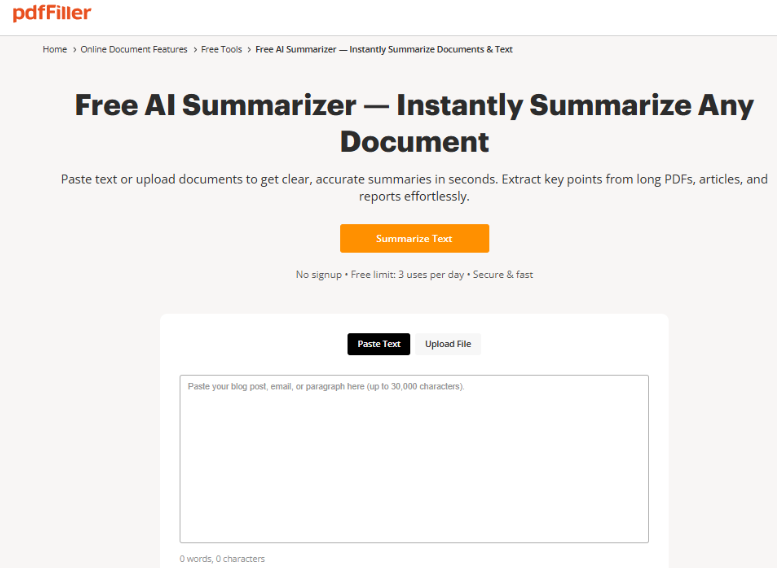
Long business documents often contain important information that takes considerable time to find and understand. Contracts, financial reports, research papers, and business proposals can run dozens of pages. AI-powered summarization makes these documents easier to review by identifying their main ideas and presenting them in a shorter format. Professionals who need to summarize long documents with AI can use this approach to understand lengthy material and identify sections that require closer attention.
Why Professionals Need Better Ways to Review Long Documents
Information Is Often Spread Across Multiple Pages
Business documents rarely present every important detail in one place. A financial report may contain figures in tables, explanations in separate sections, and recommendations near the end. Similarly, an agreement may explain responsibilities in one section while describing exceptions or additional conditions elsewhere.
Finding these details manually requires concentration and repeated reading. AI summarization can provide an initial overview by identifying the document's central subjects and presenting them in a shorter format.
This helps readers understand the general purpose of a document before examining specific sections. It also makes it easier to identify which parts require additional attention.
Manual Document Review Can Affect Productivity
Employees who regularly handle paperwork may receive multiple reports, agreements, and proposals throughout the day. Reading every document from beginning to end before understanding its relevance can make routine administrative work more demanding.
An AI-generated summary can help with the initial review. For example, a manager preparing for a meeting can first examine an overview of a lengthy project report and then return to the original pages containing important figures or recommendations.
The goal is not to eliminate reading but to make the first stage more organized and focused.
How AI Summarization Works With Digital Documents
AI summarization uses artificial intelligence to analyze written content and create a shorter version that communicates its main ideas. Rather than simply removing random sentences, the technology attempts to identify meaningful information, recognize relationships between topics, and present the central message in a more concise way.
For PDF documents, this can be particularly helpful because reports and agreements often contain several sections with different purposes. A summary can bring the main subjects together, allowing readers to understand the overall content without immediately reviewing every paragraph.
Depending on the tool, summaries may be presented as short paragraphs, detailed explanations, or bullet-point lists. Each format serves a different purpose.
Choosing the Right AI Summarizer for Professional Documents
Professionals have different requirements depending on the documents they handle. Someone reviewing a short business report may need a quick overview, while an accountant or legal professional may require a more detailed explanation of the original material.
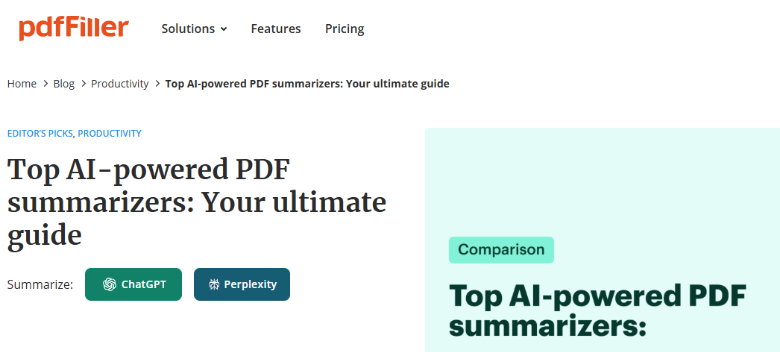
Exploring AI summarizers worth trying can help readers understand the different approaches to summarizing lengthy PDF documents and identify features that may suit their workflows.
Document Compatibility
The first consideration is whether a tool supports the documents used in everyday work. PDF compatibility is important because many professional reports, agreements, and business records are distributed in this format.
Users should also consider whether they can work with other common document formats when information arrives from different sources.
Summary Quality and Flexibility
A useful summarizer should produce readable results while preserving the central meaning of the source material. It should not remove important context simply to make the output shorter.
Flexibility is equally valuable. Some situations require a brief overview, while others need a detailed explanation or organized bullet points. Choosing the right format makes the result more useful for its intended purpose.
Privacy and Document Security
Professional documents may contain confidential business information, financial details, or personal records. Before uploading a file, users should understand how the service handles document content and what safeguards are available.
Practical Applications Across Different Industries
Business Reports and Management Documents
Managers regularly review project updates, business proposals, market research, and internal performance reports. These documents may contain information from several departments, making it difficult to identify the most relevant points quickly.
AI summarization can help create an overview of the report's main subjects, including project progress, operational challenges, and recommendations. Managers can then examine the original sections that contain supporting explanations and figures.
This approach is also useful when preparing meeting notes or reviewing documents received from different teams. It creates a starting point for discussion without treating the summary as a replacement for the original report.
Legal Agreements and Business Contracts
Contracts and legal agreements often contain detailed language about responsibilities, payment arrangements, confidentiality, renewal conditions, and termination provisions.
A summary can help business representatives understand the general structure of an agreement before reviewing individual clauses. For example, someone examining a vendor contract might request an overview of its main sections and then inspect the original document for payment conditions and specific responsibilities.
However, summaries should not replace a complete legal review. Small differences in wording can have important consequences, and exceptions may be difficult to communicate accurately in a shorter version.
Healthcare Administration
Healthcare organizations manage patient intake documents, consent forms, administrative policies, and internal reports. These materials can contain lengthy explanations and procedural information.
AI summarization may help administrative teams understand the general contents of internal documents and locate relevant sections more efficiently.
Privacy is especially important in this environment. Organizations handling protected health information should assess applicable HIPAA requirements and ensure an appropriate business associate agreement is in place when required.
Accounting and Financial Reporting
Accounting professionals regularly work with financial statements, expense reports, business records, and supporting documentation. These files may contain multiple tables and explanations that need careful examination.
An AI-generated overview can help identify the subjects covered in a report and direct attention toward relevant sections. Accountants can then verify individual amounts, percentages, dates, and calculations against the original document.
Combining AI Summarization With PDF Editing
Summarization is often only the first stage of a professional document workflow. Once readers understand the main contents, they may need to correct information, add comments, complete fields, rearrange pages, or prepare a document for approval.
A PDF editor makes these activities possible within a digital environment. pdfFiller provides capabilities for editing PDF text, adding annotations and comments, merging and splitting documents, creating fillable forms, and preparing files for electronic signatures.
For example, a property manager reviewing a lengthy lease agreement might first use an AI-generated overview to understand its structure. The manager can then open the original document, examine the relevant clauses, add internal comments, and prepare the necessary paperwork for review.
<SCREENSHOT 2 — INSERT A GENUINE CURRENT SCREENSHOT OF THE PDF EDITOR>
Caption: pdfFiller's PDF editing environment supports document preparation and review.
Alt text: Screenshot showing the pdfFiller PDF editor with document editing and annotation options.
Best Practices for Reviewing AI-Generated Summaries
AI summarization can make lengthy documents easier to understand, but readers should use the output carefully. The following practices help maintain accuracy:
Define the purpose: Decide whether you need a general overview or information about a specific section.
Choose the right format: Use a short summary for quick understanding and a detailed version when context matters.
Verify important information: Check names, dates, amounts, percentages, and other significant details against the source.
Review supporting sections: Tables, footnotes, appendices, and exceptions may contain information that a summary does not fully explain.
Keep the original document: Always retain access to the source when the summary will support professional work.
Use qualified review when needed: Legal, financial, healthcare, and compliance documents may require professional assessment.
<SCREENSHOT 3 — INSERT A GENUINE CURRENT SCREENSHOT OF A SUMMARY GENERATED THROUGH PDF FILLER, USING FICTIONAL SAMPLE DOCUMENT CONTENT>
Caption: An AI-generated document overview prepared for further professional review.
Alt text: Example of a summarized fictional business report displayed in pdfFiller.
The Future of AI-Assisted Document Management
Digital paperwork continues to play an important role in business operations. As organizations handle more reports, agreements, and administrative documents, finding practical ways to understand information becomes increasingly valuable.
AI summarization can support this process by making lengthy material easier to review and helping employees identify the sections that deserve closer attention. When combined with PDF editing, fillable forms, annotations, and electronic signatures, it becomes part of a broader document management workflow.
The most effective approach balances automation with human judgment. AI can provide a useful starting point, but professionals remain responsible for checking important details and understanding the original information before making decisions.
Frequently Asked Questions
1. What is an AI PDF summarizer?
An AI PDF summarizer is a digital tool that analyzes written content in a PDF and produces a shorter overview. It identifies central ideas, important subjects, and supporting information to help readers understand lengthy documents more efficiently.
2. Can AI summarize lengthy business reports?
Yes. AI summarization can help create overviews of business reports, proposals, market research, and internal documents. Employees can use these summaries to identify relevant sections before examining the original material for detailed information.
3. Are AI-generated summaries always accurate?
No. AI may occasionally misunderstand context, overlook exceptions, or leave out important information. Readers should verify important details against the original document, particularly when summaries are used during financial, legal, or professional reviews.
4. Can AI summarizers work with legal documents?
AI summarizers can help explain the general contents of contracts, agreements, and other legal documents. However, summaries should not replace complete reviews. Important clauses, responsibilities, and conditions should always be examined in their original context.
5. How can AI summarization improve business productivity?
AI summarization helps employees understand lengthy documents without beginning with a complete manual review. It can support meeting preparation, report analysis, research, and administrative work by making important information easier to locate.
6. Can users edit PDF documents after summarizing them?
Yes, when the summarization workflow is combined with a PDF editor. Users can work with the original document, make text changes, add comments, complete fillable fields, and prepare files for electronic signatures. Changes should always be checked before sharing the final document.