A practical guide from Virtual Staging Desk
A recurring opening can help people recognize a real estate video series. On a listing reel, it has just a moment to do that job. The viewer still needs to see the home quickly and know which frames show the actual property.
This guide uses a fictional condo reel as an editing example. The opening is a short music-led scene made for the agent’s series. The reel then cuts to the listing photos. You can reuse the opening on another listing while changing the property images and details every time.
Build the reel around the listing photos first
Start with a wide photo that answers a useful question about the home. A living-room angle that shows both the windows and the kitchen opening can tell viewers more than a close shot of a sofa. Follow it with a second photo that shows a different space or adds information the first frame leaves out. Give each photo its own job before putting anything on the timeline.
If the main room is vacant and you want to show a furnishing option,Virtual Staging Desk can help you prepare a furnished image and compare it with the original. Look at the window frames, doorways, and fixed finishes before reviewing the furniture. Keep the original for reference. If you include the edited image, show a readable “Virtually staged” label on that frame and check the rules of the channel where it will appear.
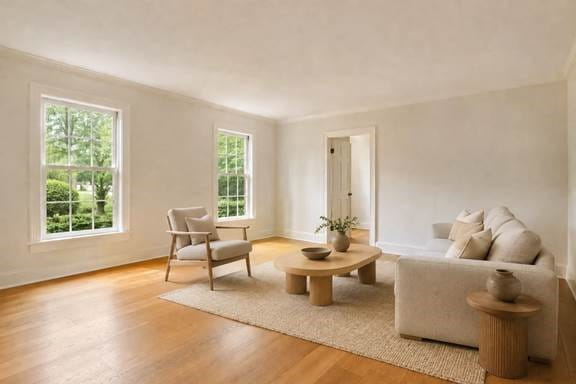
Virtually staged illustration from Virtual Staging Desk. Check windows and doorways against the source photo before using an edited image.
Leave a clean frame near the end for the listing name and one action, such as viewing the full listing. You can then judge whether the opening earns its place without sacrificing those last few seconds.
Make the intro a scene you can reuse
Pick one motion and one visual detail that can become familiar across your series. In this example, a hand sets a brass key on a dark desk under a warm light. The scene takes place against a neutral background, so it reads as an opening graphic and leaves the home itself for the listing photos. An illustrated host closing a notebook could serve the same purpose.
If you already have a short musical phrase you can use, open BeatMelo’s AI Music Video Generator and try the Story option. Bring a supported audio file and a reference image you have permission to use. Check the music segment and length options available for the mode you choose. You can trim the generated scene in your editor to use only the moment you need.
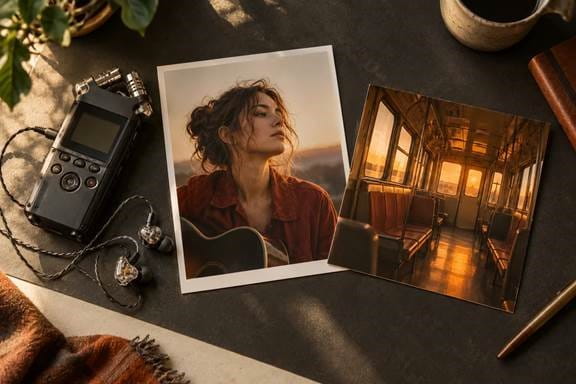
BeatMelo editorial illustration. Prepare your music and visual references separately before building the opening scene.
Here’s an example scene prompt you can adapt.
On a dark studio desk under warm side light, a hand sets down a single brass key. The camera holds steady as the hand leaves the frame. Leave the background plain and the movement calm.
Check the key and the hand through the full moment you plan to use. If the object changes shape or the motion takes too long to read, try a simpler action. Add the series title in your editor so you can control its placement and legibility.
Cut to the property before the opening wears out
Treat this 20-second sequence as a starting point. The short intro timing refers to the trimmed excerpt in your final edit.
| Time | Frame | What to check |
| 0–2 seconds | Music-led opening with a small series title | The action reads quickly, and the title identifies the series. |
| 2–8 seconds | First listing photo | The cut clearly takes viewers from the opening scene to the featured home. |
| 8–15 seconds | Second listing photo or labeled furnished preview | The frame adds a useful detail, and any staging label stays visible. |
| 15–20 seconds | Listing details and one next step | A viewer can read the final card at normal speed. |
Try a clean cut from the key shot to the wide photo. If the music continues underneath, line up the two sections on one track in your editor so the cut doesn’t create a doubled beat or a jump in volume. Check the terms for the audio and other assets you intend to post.
Compare a version with the intro and one without it
Duplicate the edit and open the second version on the first listing photo. Watch both on a phone with sound off. Ask someone who hasn’t seen the edit to point out when the featured home first appears and recall what to do at the end. This takes less time than tuning a transition that might be holding up the whole reel.
Keep the intro if it makes the series recognizable and the property still arrives promptly. If viewers hang on the title or mistake the opening scene for part of the home, shorten it or start on the listing image. The opening has done its job when the viewer remembers the series and can still tell you something about the property.